What this is
A built-in plate calculator with inventory-aware loading recommendations for barbell and center-load setups.
Become harder to break.
Built-in training tool
Bar loading errors waste time and break session flow. untraind's plate calculator turns your target into an exact per-side setup based on your real available plates.
Training tools that stay out of the way.
Train offline. Track everything. Keep going.
No separate ad-heavy utility apps. Keep focus where training happens.


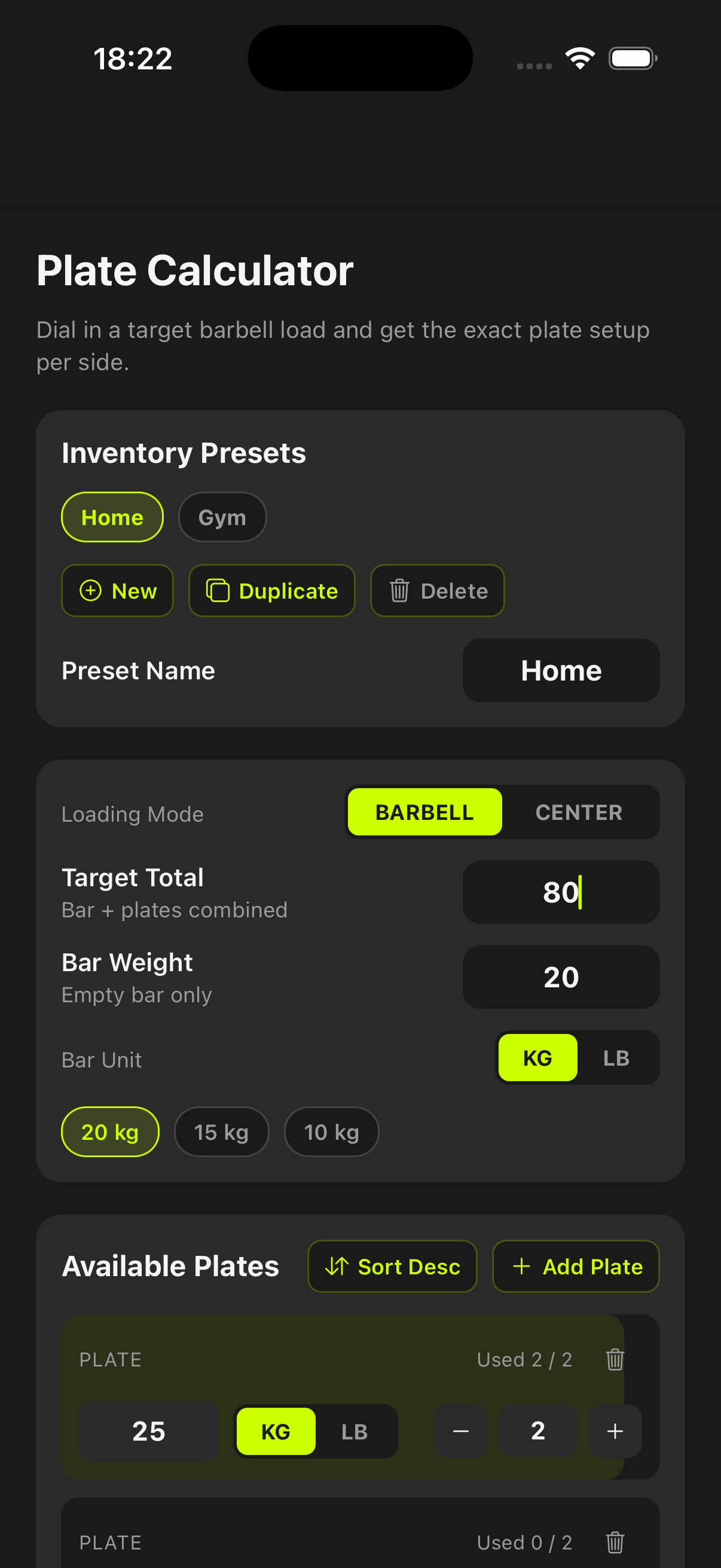
A built-in plate calculator with inventory-aware loading recommendations for barbell and center-load setups.
Faster setup between sets, fewer loading mistakes, and practical nearest-load fallback when exact matches are impossible.
Use it when progressive overload requires precise loading and your gym or home inventory is limited.
Become harder to break.
Define your available plates once, save presets, and the tool resolves exact or nearest loadable combinations for each target while showing per-side counts clearly.
Maintain separate Home and Gym inventories and switch instantly without re-entering plate data each session.
Calculate symmetric per-side loading for barbells or center-load scenarios where added load is distributed differently.
When exact loading is not possible, the tool returns the nearest practical setup with explicit delta and plate counts.
Yes. You can create, duplicate, and switch inventory presets for different locations or bar setups.
Yes. Results are presented per side with exact counts so loading is quick and unambiguous.
The tool shows the nearest loadable option and the exact delta from your requested target.
Start before you feel ready
untraind keeps the workout useful after the motivation fades. Build the session, run it cleanly, and keep the evidence on your phone.