What this is
A dedicated EDT density-zone mode with fixed countdown timing and alternating exercise execution.
Become harder to break.
EDT execution
EDT sessions need more than intervals. untraind runs Density Zone blocks as fixed PR windows with alternating exercise cards and live set tracking.
Pressure-tested workout execution, not stopwatch theater.
Train offline. Track everything. Keep going.


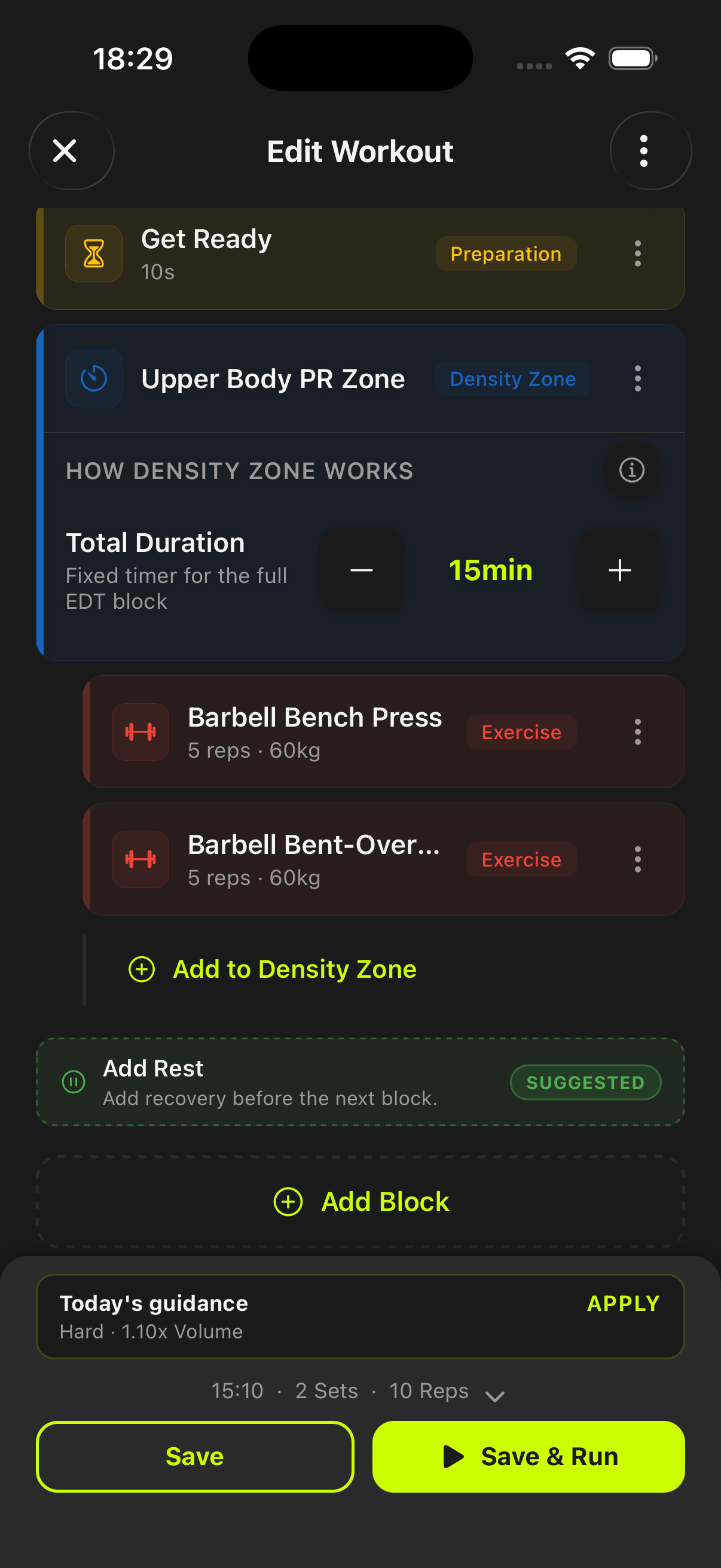
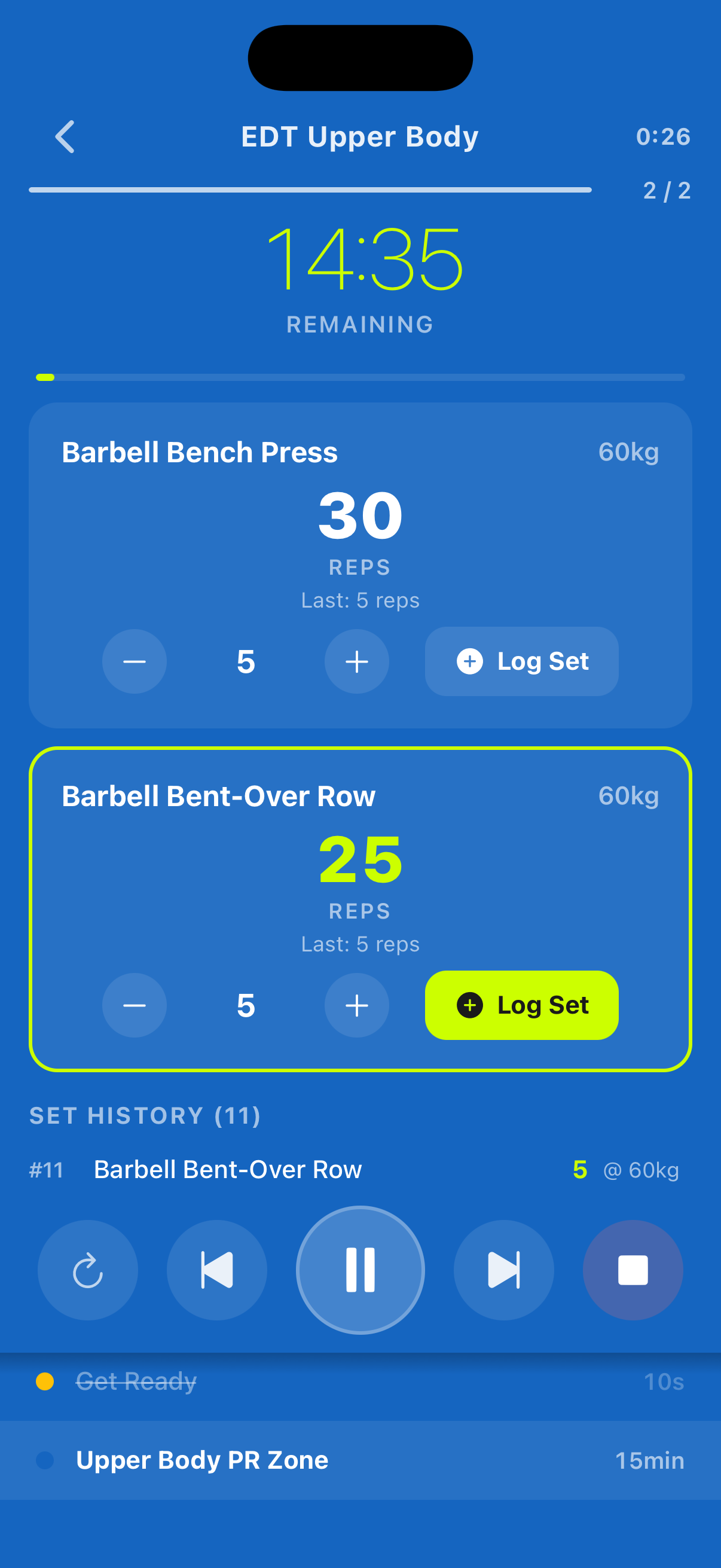
A dedicated EDT density-zone mode with fixed countdown timing and alternating exercise execution.
Quick set logging, exercise switching, and live set history inside the active PR zone.
Use it when you want to maximize reps in a fixed window and need immediate feedback on density progress.
Become harder to break.
When a density block starts, untraind gives you fixed zone timing, quick set logging, and immediate set history in one view.
EDT blocks run as countdown density windows so effort pacing stays tied to the remaining zone time.
Each exercise card supports quick adjustments and one-tap set logging, so switching A/B movements is frictionless.
You can see logged sets and progress inside the active EDT block without leaving the run screen.
EDT focuses on density inside a fixed PR zone where you alternate exercises and accumulate total reps, not just work-rest intervals.
Yes. EDT mode includes quick set logging controls and live set history within the same run view.
Yes. The timer and logging flow work offline and do not require active connectivity.
Start before you feel ready
untraind keeps the workout useful after the motivation fades. Build the session, run it cleanly, and keep the evidence on your phone.