What this is
Personal records tracking that auto-detects record events from your logged workout sets.
Become harder to break.
Progress tracking
PR tracking should not live in spreadsheets. untraind detects records while you log sets, highlights wins during sessions, and keeps your record history organized by exercise.
Progress tracking that stays tied to training.
Train offline. Track everything. Keep going.


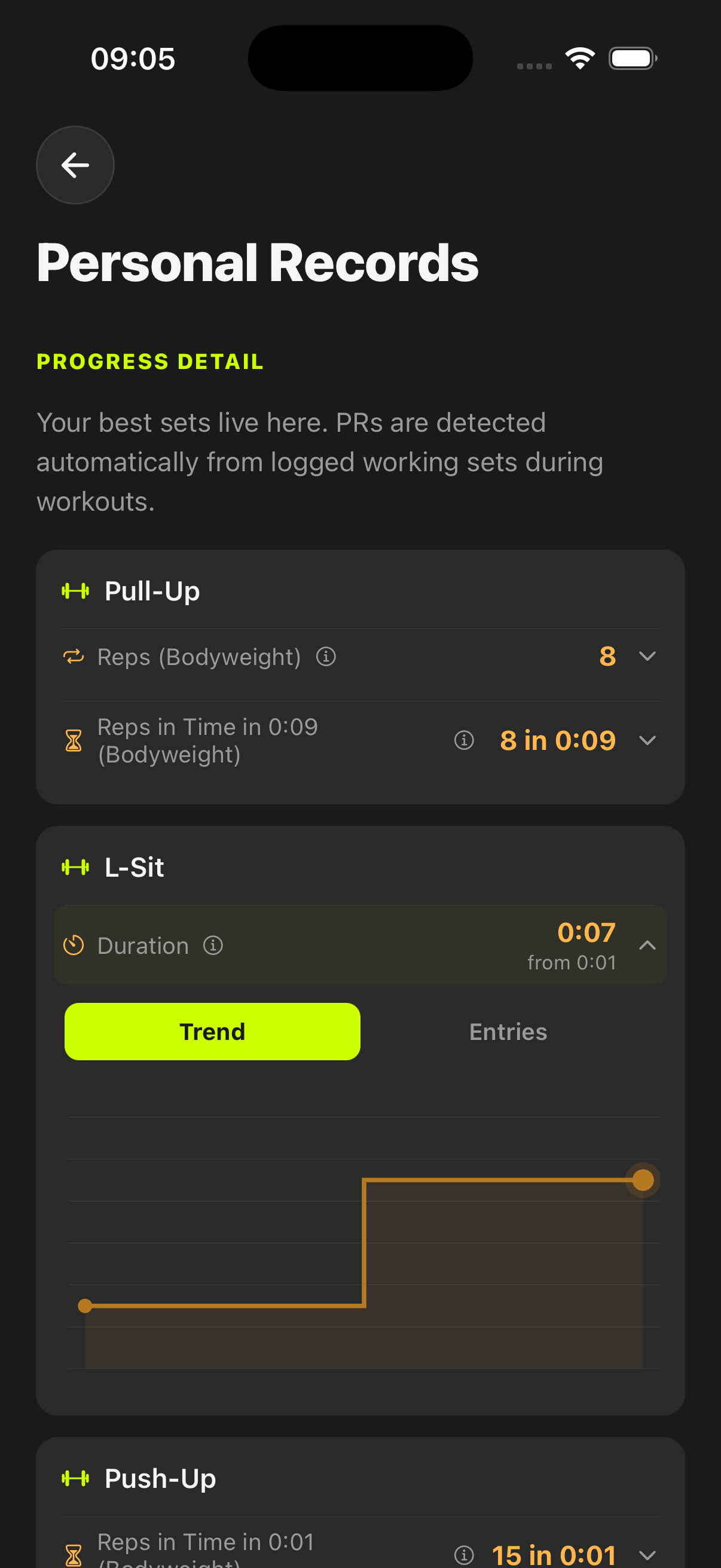
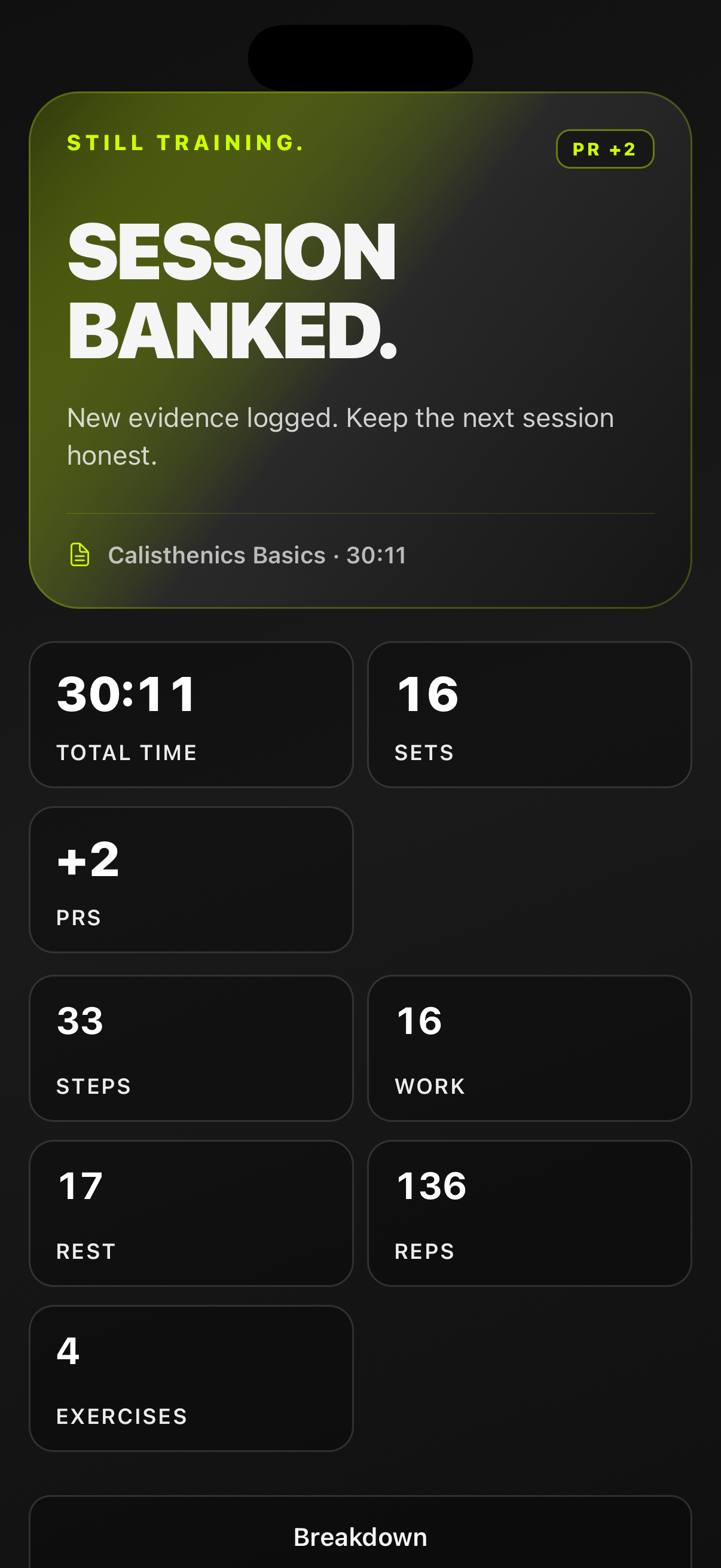
Personal records tracking that auto-detects record events from your logged workout sets.
Clear progress proof, faster post-workout review, and less manual tracking overhead.
Use it when you want repeatable evidence of performance changes across strength and conditioning work.
Become harder to break.
When you log sets, untraind evaluates record types relevant to the exercise profile and stores new records so they show up in session feedback, completion summaries, and the dedicated records view.
untraind evaluates metrics like weight, reps, estimated 1RM, volume, reps-in-time, pace, and distance where applicable.
New records can appear in live session flow and in the workout completion summary so progress is visible immediately.
Use the personal records view to inspect grouped bests, compare trends, and review individual record entries.
No. PRs are detected from workout set logs and persisted automatically when a new record condition is met.
Yes. The detector handles multiple set profiles, including weighted strength, reps-only, timed, and distance-oriented logs.
Yes. Personal records are available in a dedicated profile screen with grouped summaries, trend mode, and entry history.
Start before you feel ready
untraind keeps the workout useful after the motivation fades. Build the session, run it cleanly, and keep the evidence on your phone.